
Great Live Streaming Plugin!
This is a fantastic plugin and a great solution for anyone looking to add professional live streaming capabilities to their platform. The low-latency streaming experience is smooth, reliable, and provides a great viewing experience for users.
I really like how this plugin makes it possible to bring live streaming directly into a social platform, allowing users to easily go live, watch streams, and interact in real time. The integration possibilities with platforms like Sngine, WoWonder, and PlayTube make it even more valuable for developers building modern communities.
The performance, features, and overall quality of this plugin are impressive. It is a great choice for anyone wanting to add a powerful live streaming experience to their app or website.
Highly recommended!
RevoGram
The Ultimate Social Networking Platform CMS
RevoGram is a powerful, modern social network platform
NewNo reviews yet
Product preview
Current product interface
Product details
RevoGram is a powerful, modern social network script built with Laravel and ReactJS. Create your own social media platform or online community with real-time messaging, live streaming, stories, short videos, video sharing, groups, pages, and much more.
Give your members a place to meet on your own domain. With RevoGram, a photography club can share a shot from the coast, invite members to a live critique and sell tickets to its next photo walk. The same installation brings together member profiles, feeds, messaging, events and the tools you need to run the network.
Take the product tour · Explore the feature catalog · Read the documentation
Features and modules
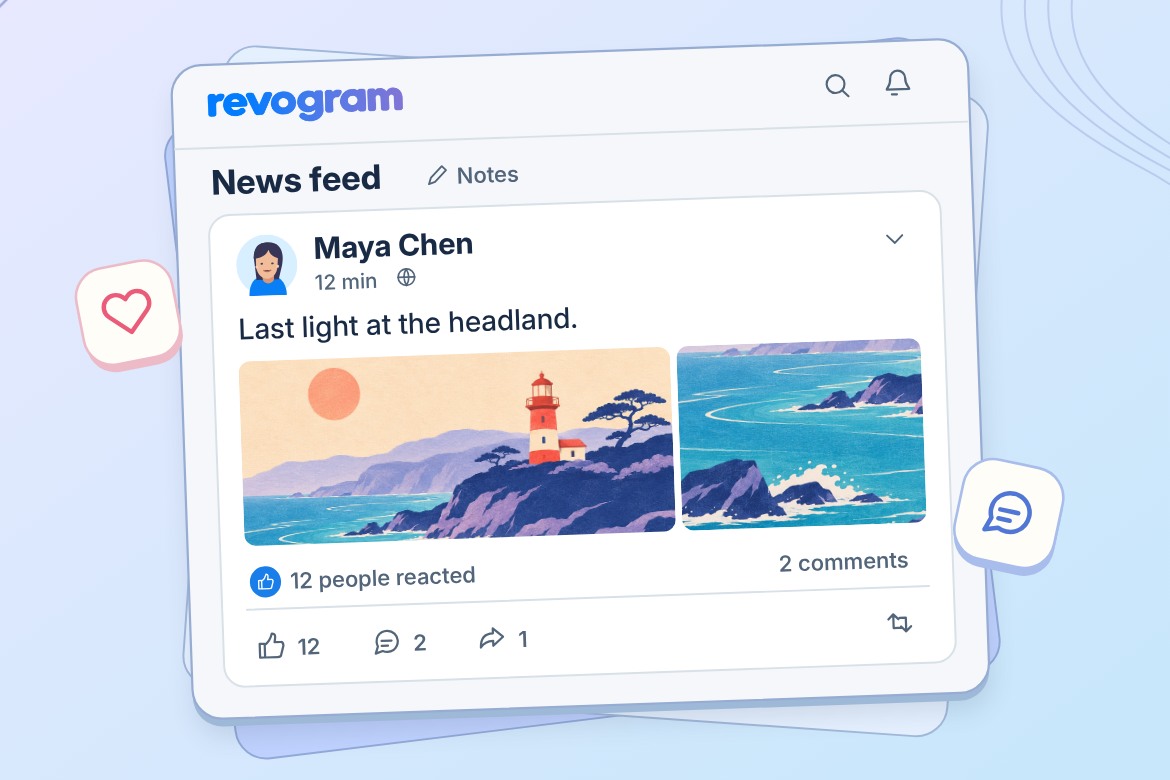
Member profiles, the news feed, Post Studio and Messenger give people a place to start. In the admin panel, choose which of the 22 built-in modules to enable for your community. The feature catalog covers more than 400 features and settings.
From a draft to the news feed
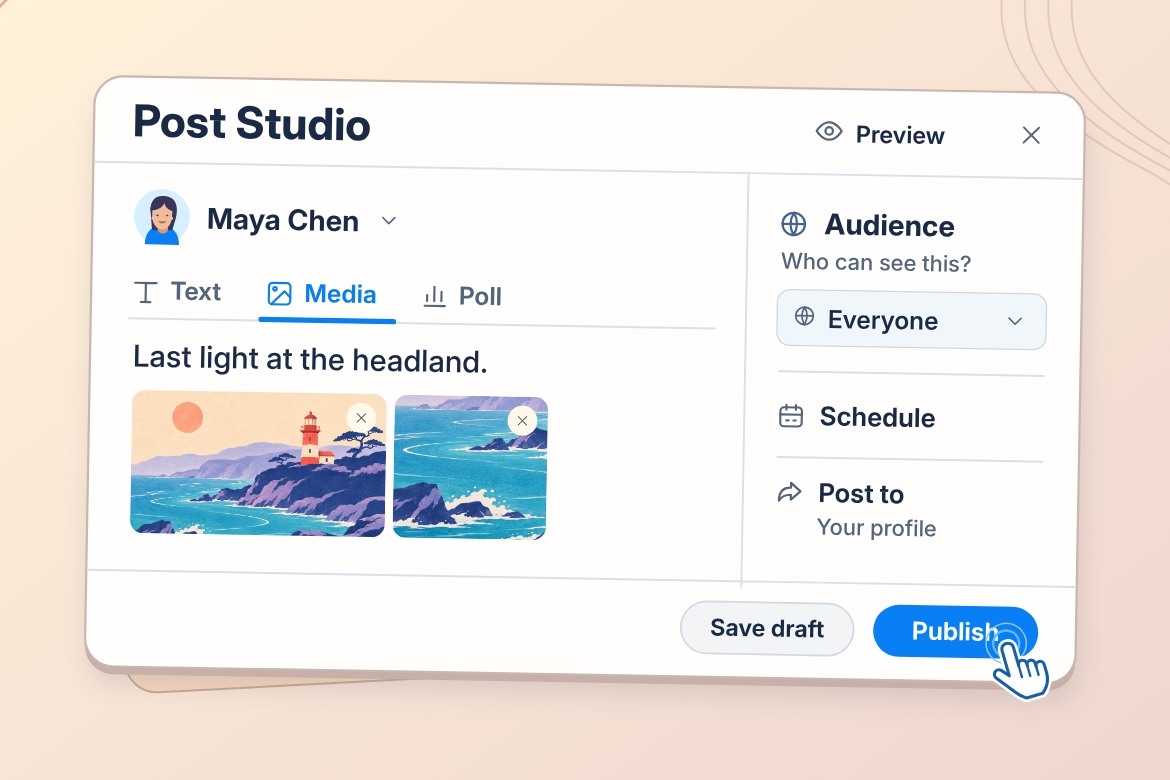
Members can post straight from the feed with shortcuts for photos, video, audio and files. When a story needs more work, they can open Post Studio. Maya adds a lighthouse photo and a close-up of the shore, writes a caption and chooses who can see it. She can preview the result, save a draft, schedule it or publish it to her profile.
Following a photographer, joining a group or following a Page brings eligible posts into the home feed. Readers can react, comment, save a post to a collection or repost it with their own take.
- Profiles and discovery. Members can add a cover, interests and featured work to their profiles, find people through Explore and manage friend requests and followers.
- Stories. Draw on a photo or video, add stickers or text, select the audience and share it for 24 hours. Members can send a private reply through Messenger.
- Creative posts. Ask a question, run a poll, tag a location or reuse a saved post template. Comments support mentions, voice recordings, GIFs and stickers.
- Account privacy and security. Members can review tags, control who can message or call, set quiet hours for notifications, manage signed-in devices and use passkeys or authenticator-based two-factor sign-in.
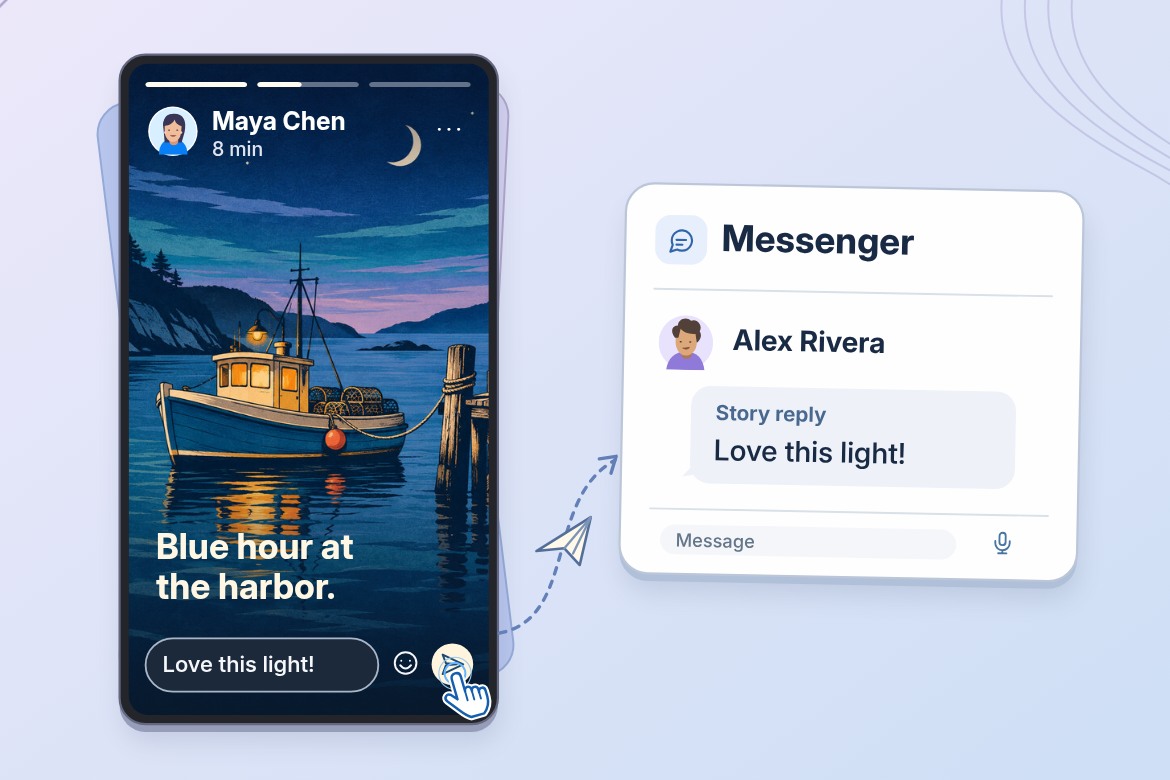
Reply while viewing a Story. The author receives the message privately in Messenger.
Publishing and media modules
- Photos. Organize images into albums, share supported motion photos and choose who can see them. Owners can add a four-digit PIN to eligible photos or albums as an extra viewing step.
- Videos. Publish a video to Watch with a title and custom cover. Viewers can build playlists and return to their watch history.
- Clips. Upload a short portrait video, choose its cover, set comment permissions and decide whether it appears on your profile.
- Live. Open Live Studio to broadcast a camera, microphone or shared screen. Members can discover active broadcasts and join the discussion.
- Blogs & Articles. Write long-form pieces in a rich-text editor, organize them with categories and tags, and schedule publication.
- Avatar Studio. Customize a 3D character’s face, outfit and pose, preview it and apply the saved look to a profile.
- 3D posts. Arrange image layers, sculptures or an Avatar Studio character in a scene that readers can explore from the feed.
- Memories. Revisit earlier posts and photos, then share a memory to the feed, a group, a friend’s timeline or a conversation.
Open the photo and follow the discussion
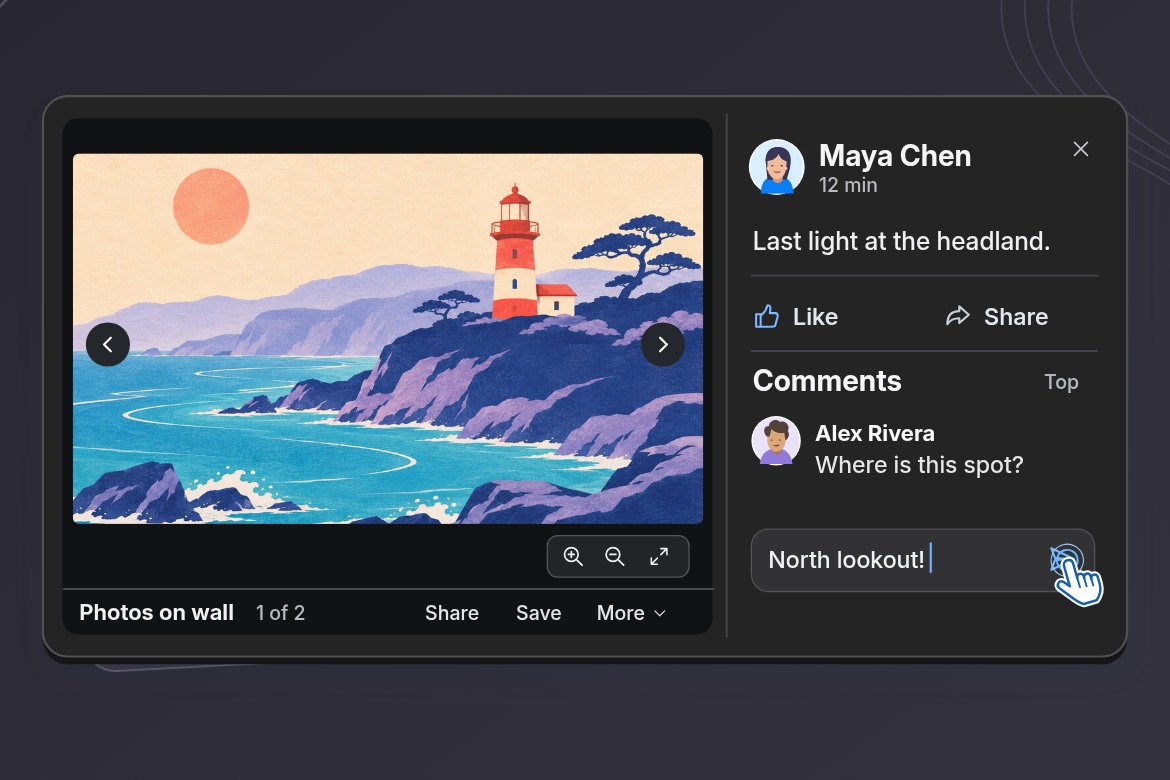
Select a photo in the feed to open RevoGram’s viewer. Move between photos in the collection, zoom in on a detail or save the post for later. On desktop the discussion sits beside the image, so a reader can ask where the shot was taken while looking at the lighthouse.
Community and discovery modules
A club can keep its planning group private and run a public Page for exhibition announcements. Members can participate from a phone or desktop in a light or dark theme.
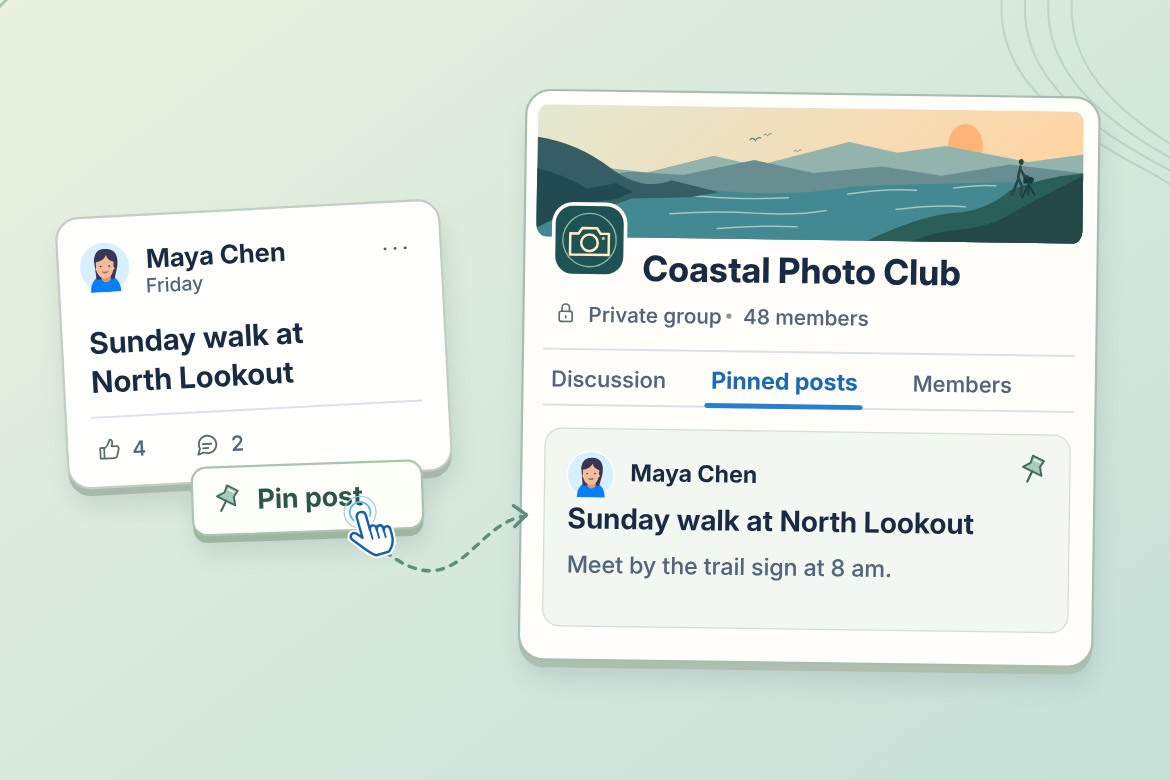
Pin a group announcement so members can find the meeting details as new discussions arrive.
- Groups. Create public, private or hidden groups. Managers can approve members and posts, set rules and pin important discussions.
- Communities. Give an interest group its own identity, member directory, posts and events. Assign management roles as it grows.
- Pages. Businesses and creators can publish under a Page name, invite followers, collect reviews and reply through a dedicated inbox.
- People You May Know. Discover people through mutual connections and shared interests, or explore nearby profiles using the location controls.
- Threads. Start a discussion by topic, follow it and reply with text, attachments or stickers. Moderators can manage the discussion.
- Shoutbox. Open a public or invitation-only chat room, or give an eligible group or community its own room for live discussion and shared media.
- Events. Publish a time and location, invite participants and collect RSVPs. Group and community organizers can issue tickets or link to an external ticket service.
Plan a day with the event calendar
RevoGram’s event calendar brings personal, group and community events into day, week, month and year views. Times follow your chosen time zone. Filter by location or ticket type, then select an event to open its page.
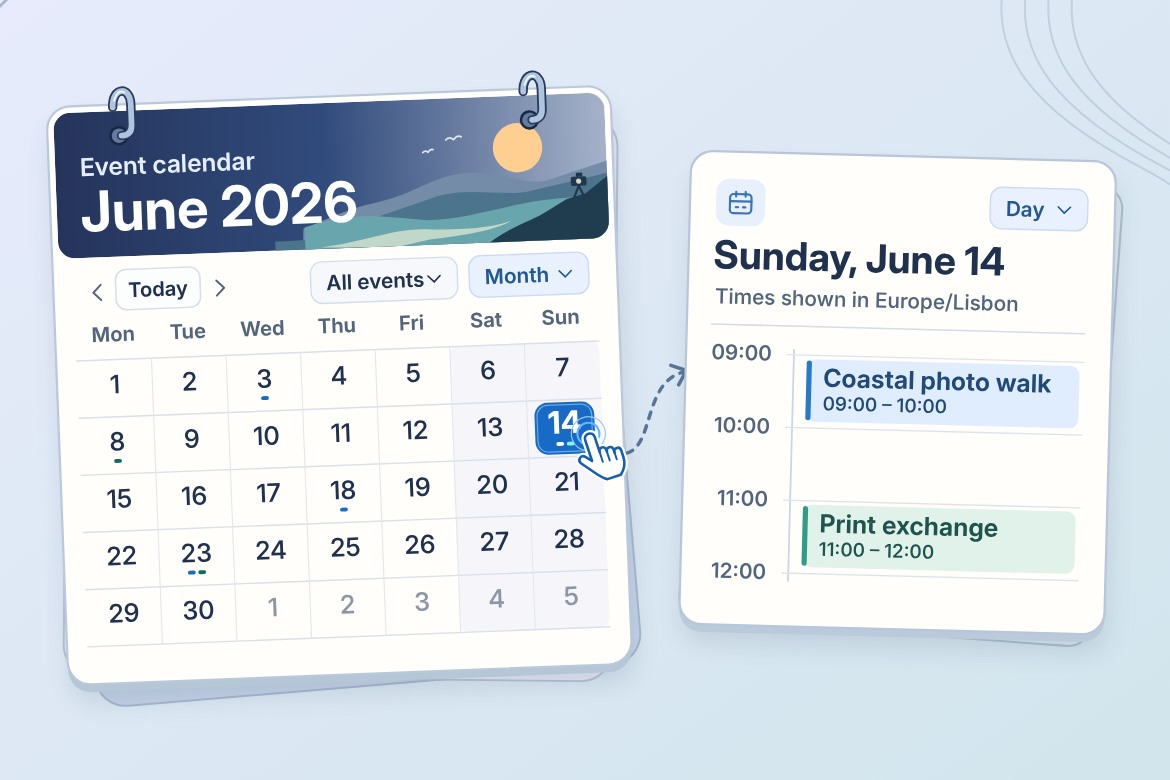
Tap a date in Month view to see that day’s events in time order. Here, the club’s photo walk starts at 09:00 and the print exchange follows at 11:00.
Meet in Messenger or broadcast live
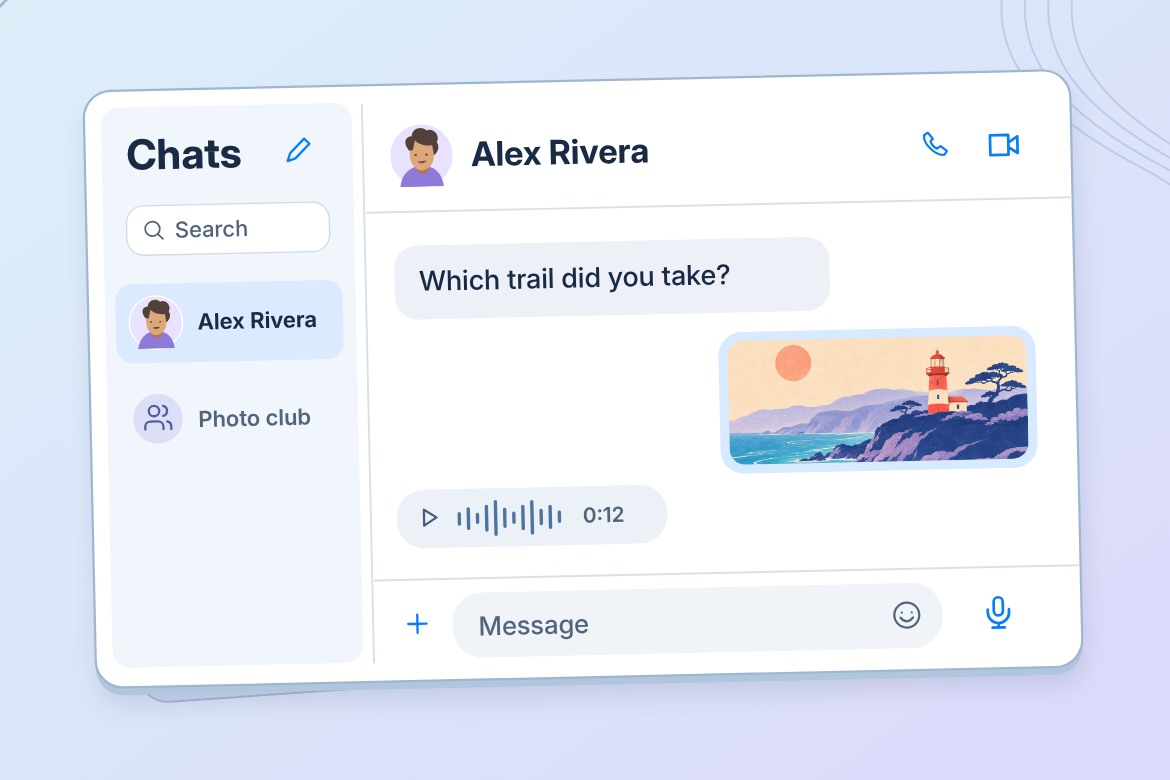
- Messenger. Start a direct or group conversation, send a voice message, share photos and files, or use a group poll to choose the next meeting place.
- Audio and video calls. Members can invite friends into browser calls and share their screens. WebSocket updates deliver invitations and call activity, while LiveKit carries the media.
- Live Studio. Broadcast from a browser and pin questions from the audience. With the appropriate LiveKit services configured, hosts can use an external encoder, record a replay for Watch or restream to an RTMP destination.
Commerce and fundraising modules
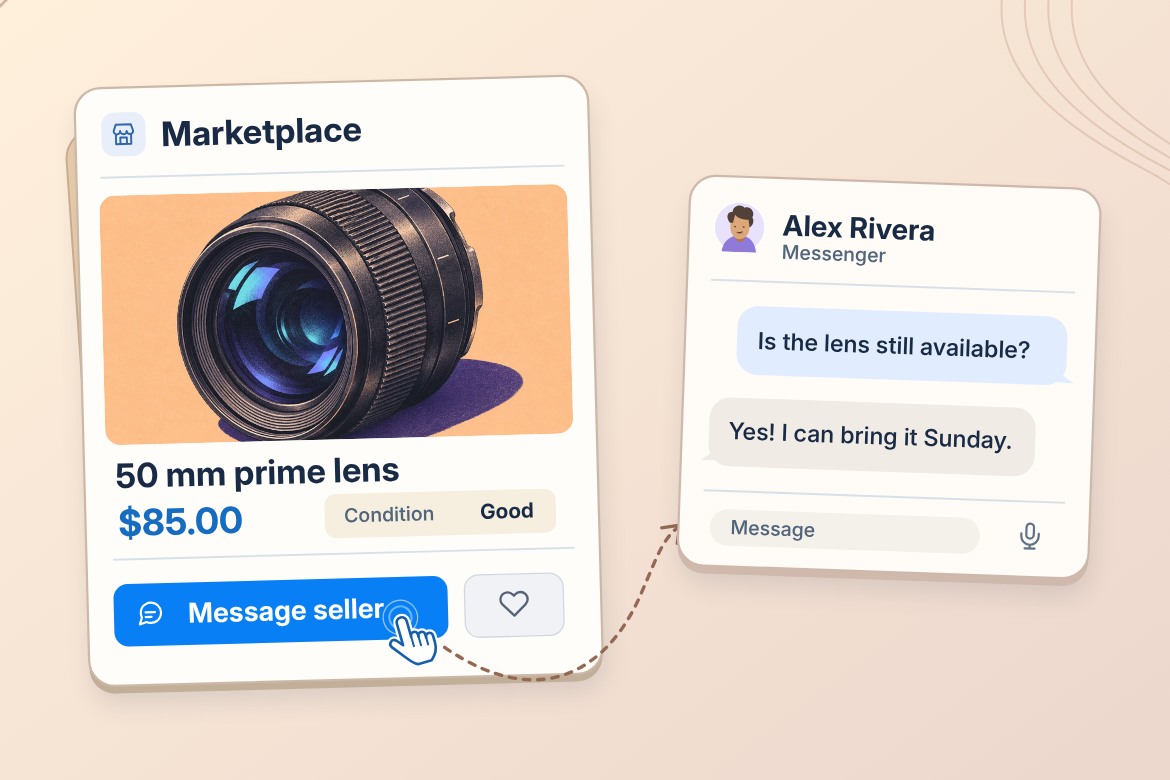
Choose Message seller on a listing to ask about the item and arrange pickup in Messenger.
- Marketplace. List a used lens with photos, a price and a location. Buyers can filter listings, save an item, contact the seller and leave a review.
- Jobs. Companies can post openings and track applicants. Members can save a job or apply with a cover letter, a profile CV or an uploaded résumé.
- Fundraisers. Set a campaign goal and deadline, publish a cover and story, and track contributions when wallet donations are enabled.
- Wallet. Members can top up a balance, see transaction history, send funds and request a withdrawal when the corresponding paid features are enabled.
- Referrals. Give members personal invitation links and a dashboard for referral activity. Administrators can configure wallet rewards for qualifying referrals.
For a group or community event, organizers can offer ticket types, limit quantities, issue receipts and check entry codes at the door.
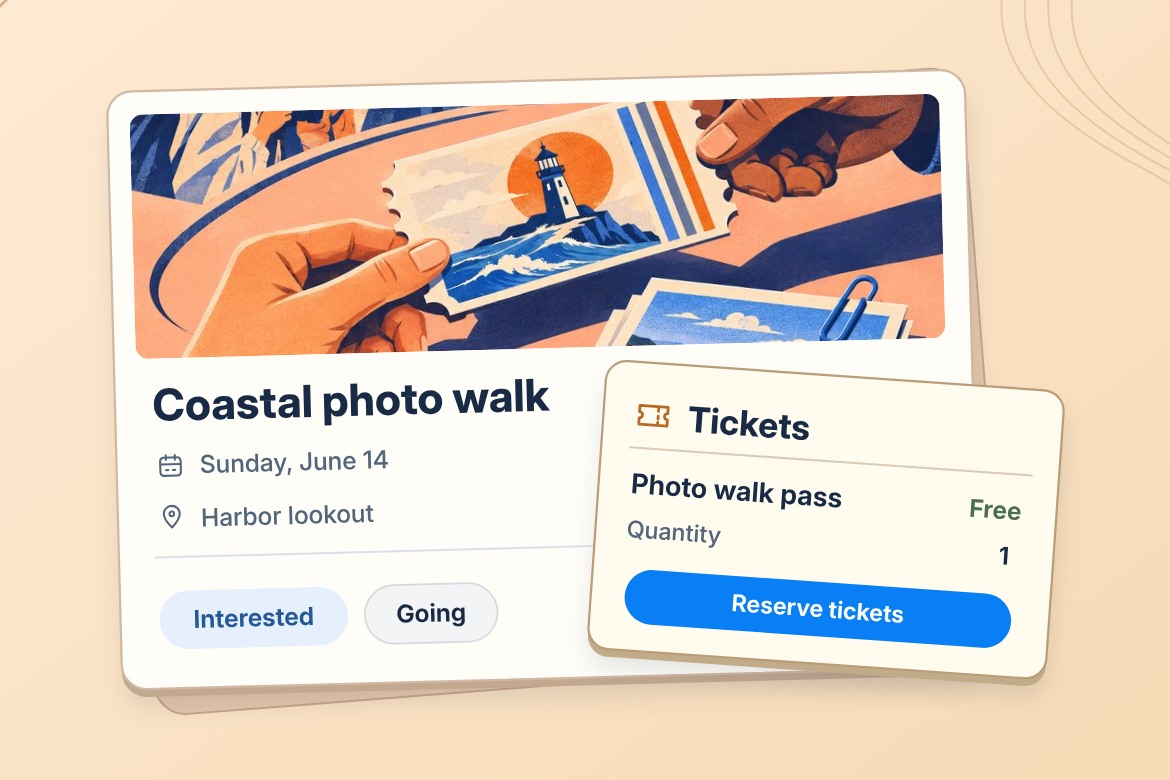
Advertising and member payments
Page owners can build ad campaigns with budgets, dates and audience settings, then review delivery and engagement. Advertising is available with a Regular or Extended license. Paid posts, creator subscriptions, gifts, donations, membership plans and wallet withdrawals require an Extended license and the corresponding wallet settings.
12 wallet top-up gateways. Choose from Stripe, PayPal, Wave, PayFast, NOWPayments, Cashfree, Razorpay, Paystack, Paysera, 2Checkout, Authorize.net and CoinPayments. Configure your merchant credentials, supported currency and payment notifications for each provider you enable.
Member utilities and games
- Saved & Bookmarks. Organize saved posts into named collections and return to a bookmarked tutorial, job, video or question answer.
- Weather. Choose a city or allow location access to see local conditions, air quality and hourly or daily forecasts.
- Games (optional). Choose which browser games to publish. Members can browse the catalog, play, save favorites and revisit recently played titles.
Run the network under your own brand
- Shape the member experience. Set your site identity, arrange the homepage, design the login and registration screens, and choose languages for your community, including right-to-left layouts.
- Give staff a moderation workflow. Assign reports to moderators, review case history, handle appeals and track staff actions. Members control post audiences, blocking and message permissions.
- Offer creative assistance. Connect a supported hosted or self-hosted AI provider, then decide whether members can draft posts, generate images or use a site assistant.
- Extend the platform. Build a custom React theme, add an extension or connect a client through the versioned API. The OpenAPI 3.1 reference includes an interactive API explorer.
Technology, media and storage
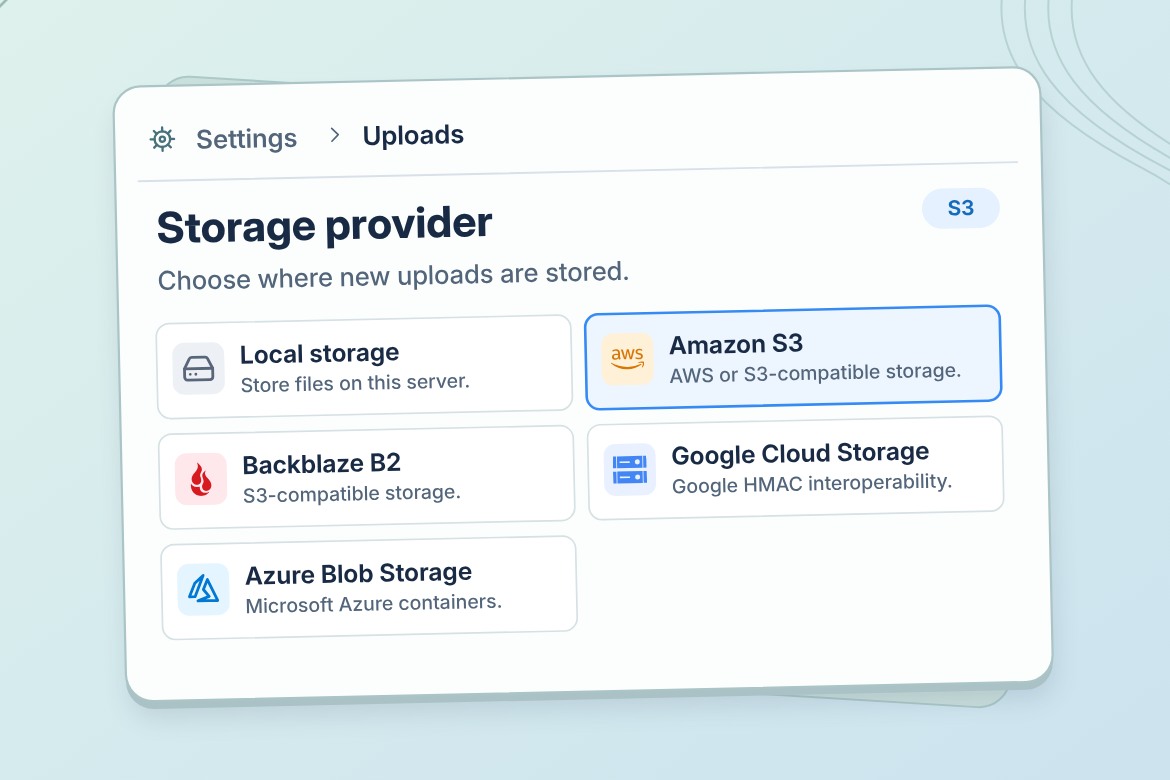
RevoGram runs on Laravel 13 and React 19. Keep uploads on local storage or configure Amazon S3, an S3-compatible service, Backblaze B2, Google Cloud Storage or Microsoft Azure Blob Storage. Optional Redis caching reuses feed-ranking data and media metadata. Image derivatives and video thumbnails help deliver media in sizes suited to the screen.
Server requirements
Production hosting
- PHP 8.4.1 or later. Use the same supported PHP version for the website, scheduled tasks and background workers.
- Web server. Use Nginx or Apache 2.4 with PHP-FPM and HTTPS. Point the document root to the application’s public/ directory. On Apache, enable URL rewriting with mod_rewrite.
- Database. Prepare an empty MySQL or MariaDB database and a dedicated database user with permission to run migrations. The setup wizard connects through PDO MySQL using utf8mb4.
- Writable paths. Give the application write access to storage/, bootstrap/cache/ and extensions/. During browser setup, PHP also needs permission to create the private .env and setup files in the project directory.
- Scheduler. Configure cron to run php artisan schedule:run every minute for work such as expiring Stories and publishing scheduled articles. Run a queue worker for each asynchronous queue you enable.
- Recommended PHP limits. The installer recommends a memory_limit of at least 256 MB and a max_execution_time of at least 120 seconds.
PHP extensions
- Installation and runtime. Enable ctype, curl, date, dom, fileinfo, filter, gd, hash, iconv, json, libxml, mbstring, openssl, pcre, pdo, pdo_mysql, session, sodium and tokenizer.
- Full feature set. Also enable bcmath, simplexml, xml, xmlwriter and zip. The browser setup wizard checks the extensions available to web PHP.
Requirements for optional features and source builds
- Media processing. Enable WebP support in GD for image derivatives. Imagick supports advanced image processing, and EXIF reads photo orientation and camera metadata. Install FFmpeg and FFprobe and allow PHP to run them for video optimization and thumbnails.
- Real-time updates and caching. Instant messages, notifications and presence use Redis, a WebSocket server and a dedicated broadcast worker. Redis can also cache feed-ranking data and media metadata.
- Calls and live video. Configure LiveKit for browser calls and broadcasts. Add LiveKit Ingress for an external encoder and LiveKit Egress for recording or outbound RTMP streaming.
- Building from source. The release ships with PHP dependencies and compiled browser assets. Use Composer 2 to reinstall the locked PHP packages, and Node.js 24 LTS with npm 10 or later to rebuild the frontend. Node.js also runs optional server-side rendering.
What you receive
The release includes the PHP application, the editable React theme, compiled browser assets, database migrations, locked PHP dependencies and a browser-based setup wizard. A portable edition of the documentation is available for offline reading.
The illustrations show RevoGram features using a fictional photography club. The artwork is for the item preview only.
Release history
Updates and changelog
Customer feedback
Customer reviews
Related product feedback
Reviews of Kontackt’s Live Stream plugin
These customers reviewed the plugin for WoWonder, Sngine, and PlayTube on CodeCanyon.
Awesome feature Great support Team Thank you Dear for making us this feature
Amazing plugin filled with what my project needed a+ service and support very understanding thank you for your patience with me.
This is no doubt the BEST customer support I have ever come across. I recommend this product anytime, any day! Appreciate the timely and professional help all the way.
Man just wanna say thank you very much for coming through for us, we just streamed a 9hr event without dropping once. got good review's .. Thank you.
I got the best support after buying this product. He is patient and even goes out of his way to make sure I am happy. True professional and extremly talented. If anyone out there wants to experience first class development by a true expert, look no further. I want to work with him on all my future projects.
Nothing pay monthly to third party, it is good Feature.
My website is completely broken, nothing is working, it is not only sidebars but no groups links are working and much more.
I have paid 45$ for installation shared details of my WHM and nothing has been done. The developer has taken more than 3 days to install from the 2-4 hours promised.
I probably will not receive my refund this product is definitely a scam dont purchase.
I am a developer and I could not install this product by my self and had to pay an additional 45 dollars and did not recieve the assistance,
There is a discrepancy between the provided OBS plugin and its corresponding documentation. A support ticket (T96-8RV-V24A) was submitted many days ago regarding this issue, but there has been no satisfactory response yet. Urgent attention is required to resolve this inconsistency.
I am happy update my rating once issue is resolved
ignoring like before , see picture everyone. im going to update my review , based on your customer support. . https://ibb.co/TBf15BM i have given many chances to developer , never never fix bugs , instead ignored.
Greetings Earthlings! :D
To all who are considering this plugin, I HIGHLY recommend it! :) It does work GREAT! Huge savings compared to using 3rd party services.
I have two licenses purchased. One for Playtube and another for Wowonder, and they have both been running solid without issue. My experience with the developer has always been great. I typically get a response within 24 to 48 hours:) Just be a little patient if it takes longer, I'm sure they have other projects/jobs they work on day-to-day.
-If anyone has trouble after following the directions (ie blank screen on the live page), it might just be a simple matter of needing trying a different PHP version(ie from 8.3 to 8.1 or 7.4) depending on your server config.
-Also be sure to check how your firewall is configured. Sometimes FirewallD, etc., causes an issue.
Overall, VERY awesome plugin! :)
I hired this team to convert the msn pulgin to be compatible with Sngine, they told to me in 1 month maximum it will be ready, I paid the half of the money, but now 2 months without any delivery, and without response, so, I discourage all peoples to hire them.
Hello, terrible service, 2 months in a job that they said was 2 days and they didn't even respond to me.
Excellent developer. I asked for custom work on the script and it was completed on time. Thanks Alex
fantastico plug-in assistenza fantastica rapida precisa e sempre presente servizio di installazione top
Verry good! This boy is a beast! He solve my bugs in just moments! Verry recommended!
The support on this script is terrible. I highly do not recommend purchasing this script as the developer hardly responds to queries.
You can go through the comment section to see what others are saying and also look at how long it takes the developer to respond to even pre-purchase queries. That should give you an insight on whether to invest your money on this script.
no support plug is worked for a month then no longer it is not worth the money
let me drop that to a 1 star.... still doesn't work as intended... gonna trash it - re-install the original files back. So much for live streaming. Don't buy this - read the comments before you do.
Code Quality is 100%, Design Quality 100%, Customer Support 95%, and Documentation Quality 90%.
Overall a great product for anyone but especially those who are seasoned around servers, scriping and code in general. You picked up a customer for life thank you.
You dont give me solution for my issue and your support is very bad with respond
Very hard to install and it's a paid service, if don't work after when you speak with the author, he can remove your licence
Very good script that works perfectly well. I called the developer for the installation everything went well, and very available to answer your questions.
I recommend without hesitation.
THANKS
The seller make up for the delay on this customization project by working extra time to get it set up. It's all good now.
Consider this before buying the support is incredibly bad and slow. If you don't have any software knowledge, definitely be careful.
The plugin works perfect it is also not posible for nullers to crack this plugin and it just looks great,
These guys are scams and would abandoned you after some time. They asked me to purchase messenger app that they would install for me free but never did. The live streaming app never worked there is always one problem or the other. It slows down your site and conflicts with other features on wowonder. Disables some features that they don't tell you about. Ask them for support they will ignore you. I bought these plugins for almost 3- 4 months now , not been able to use it. Terrible. I would be asking for refund . Also, when you pay for installation they ask you to send or pay them in paypal as friends and family, so you cannot get your money back when you full d out that they are scams. Beware of these guys.
Lyoncat is likeable. He always helps on time and is patient with my tickets. The plugin is very good. The number of our users was greatly increased by this plugin
Best ever support Best ever Plugin the plugin developer is so good . always ready to solve the issues .
Wowonder is nothing without these plugins. These awesome plugins complete wowonder script, in my opinion is a must.
we have worked out our differences and if you have a wowonder site u should consider using these
And this product and messenger shows your professionalism thank you for your good work
Customer discussion
Comments & Discussion
Have a question or feedback? Start a discussion with the community.
Ready to use CMS?
Deploy RevoGram - The Ultimate Social Networking Platform CMS on your terms.
Purchase through the official store for license delivery, product releases, and account access.
No comments yet. Start the discussion.