PlayHub Mobile
React Native Video & Live Streaming App
PlayHub is a modern Android companion app for the PlayHub video platform. It connects to the PlayHub API and automatically follows your website branding, accent color, enabled features, categories and authentication settings.
NewNo reviews yet
Product preview
Current product interface
Product details
Interactive Android demo
Try PlayHub Mobile
Discover videos, explore Shorts, and connect with creators in the real Android app. Try it in your browser with no installation required.
Launch interactive demoOpens in a new tab · powered by Appetize
Prefer to install? Download the Android APK
 Launch interactive demo
PlayHub Mobile – React Native Video & Live Streaming App
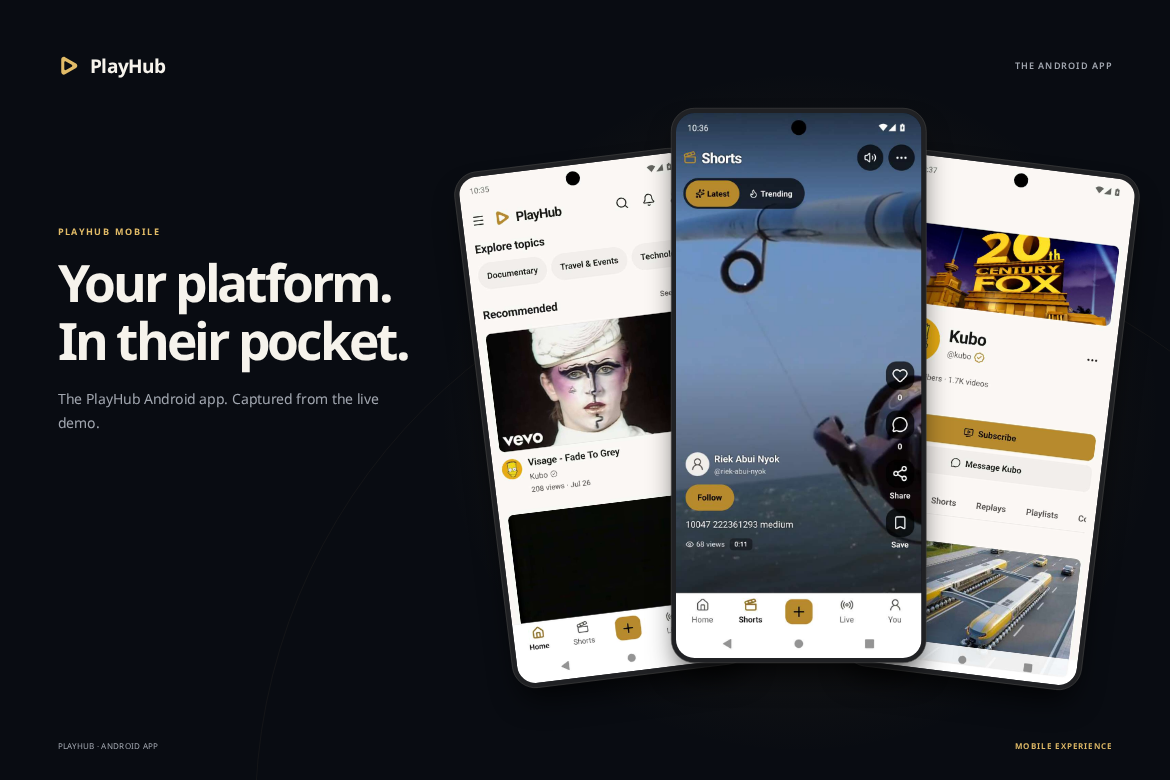
Your platform. In their pocket. Bring your PlayHub experience to Android with a native app for discovering videos, swiping through Shorts, following creators and joining live streams.
PlayHub Mobile connects to the versioned PlayHub API and follows your website branding, accent color, enabled features, categories and authentication settings. Built with React Native and Expo development builds, it brings your existing content and accounts into a familiar mobile experience.
Try the Live Android Demo | Explore the App | Installation & Documentation
Requires a licensed PlayHub website. This is the mobile companion app for your PlayHub installation. A reachable HTTPS API and the relevant backend services are required.
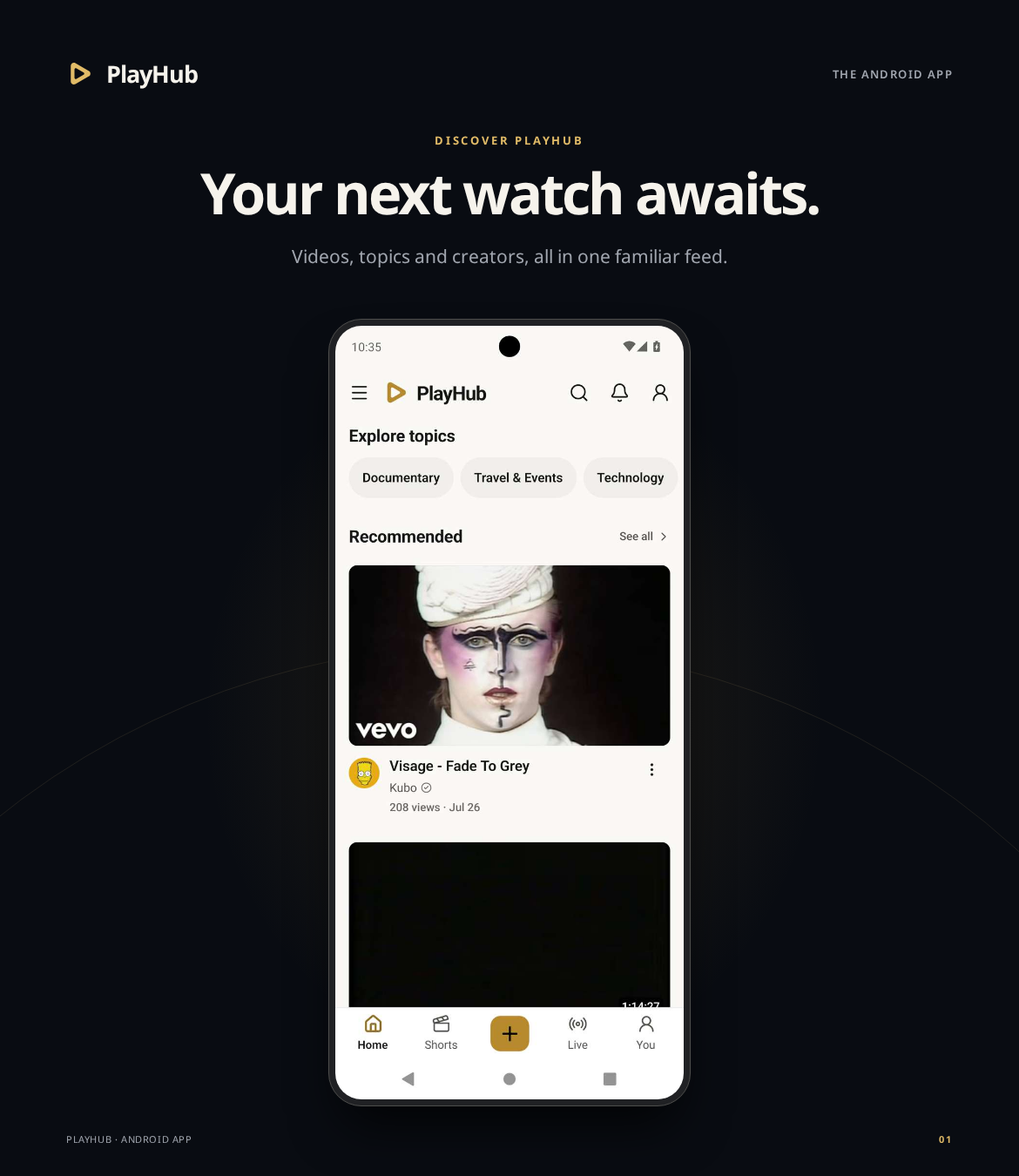
Discover Videos & Explore Your Platform
- Home, Explore, Trending and Search connected to your PlayHub content.
- API-powered categories, topics and discovery filters.
- Creator channels with videos, Shorts, playlists and subscription actions.
- Website branding, accent color and available features supplied by your backend.
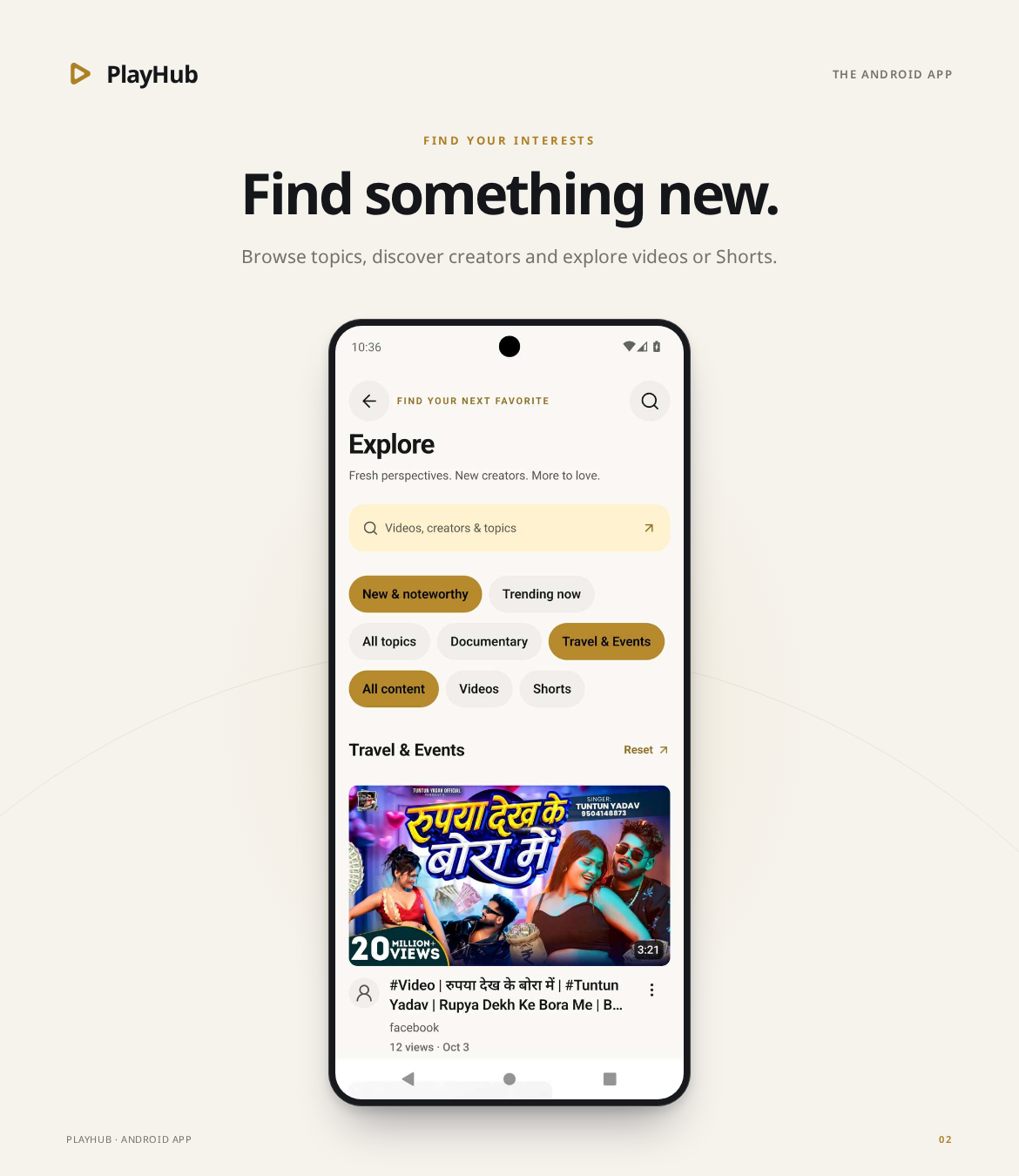
Native Playback & Vertical Shorts
- Native video playback with fullscreen, mini-player, playback controls and Picture-in-Picture on supported Android devices.
- YouTube, Vimeo, Twitch and Dailymotion integrations, subject to each provider’s configuration, available controls and policies.
- A vertical Shorts feed with creator profiles, reactions, comments, sharing and save actions.
- Watch Later, viewing history, favorites, bookmarks and playlists.
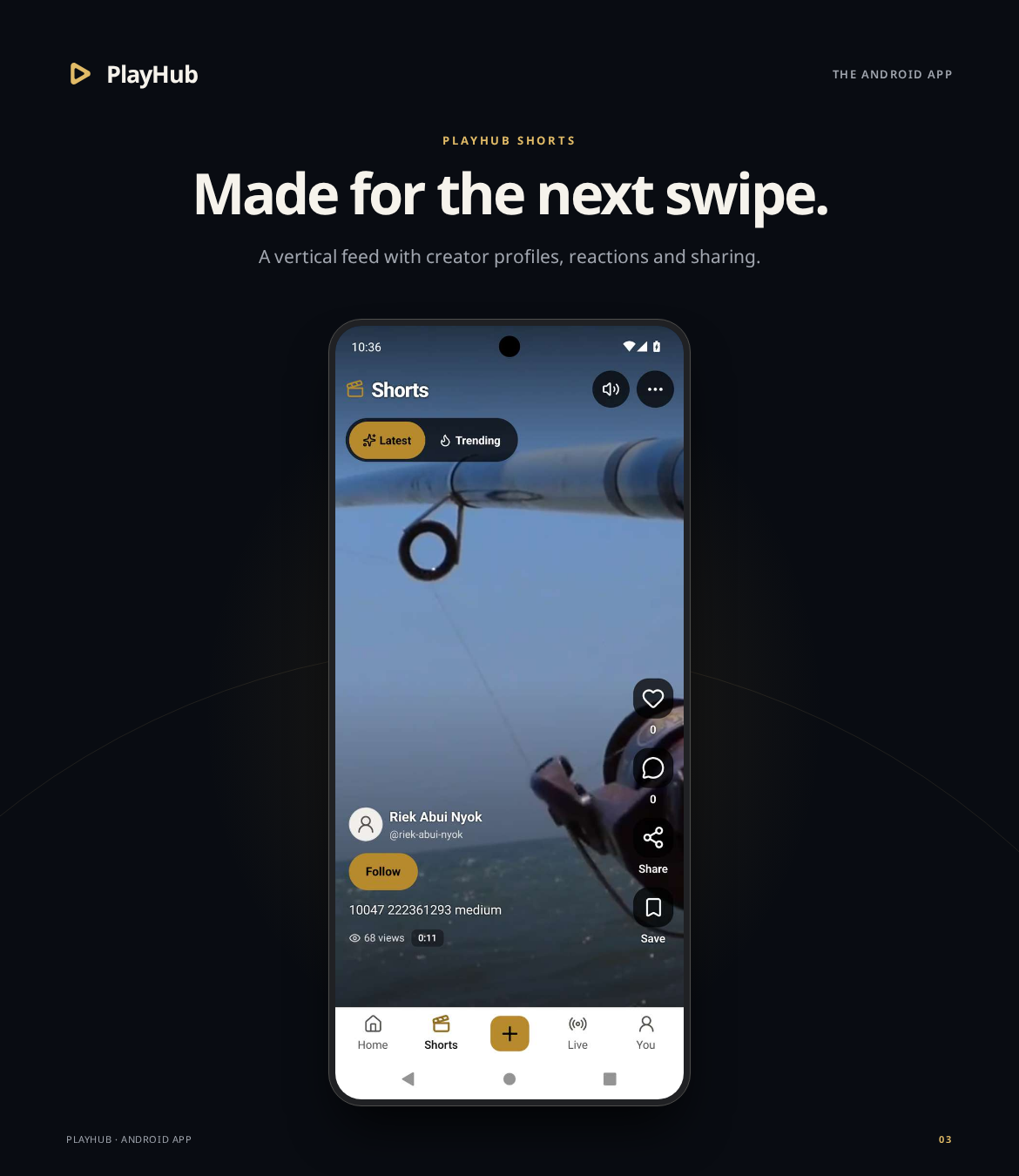
Live Streaming, Creators & Community
- Live streaming, viewer mode, chat, polls and host controls with your configured LiveKit services.
- Comments, likes, subscriptions, community posts and private messages.
- Creator Studio, uploads and channel management for accounts with the appropriate permissions.
- One connected experience that follows your website’s enabled features and account access.
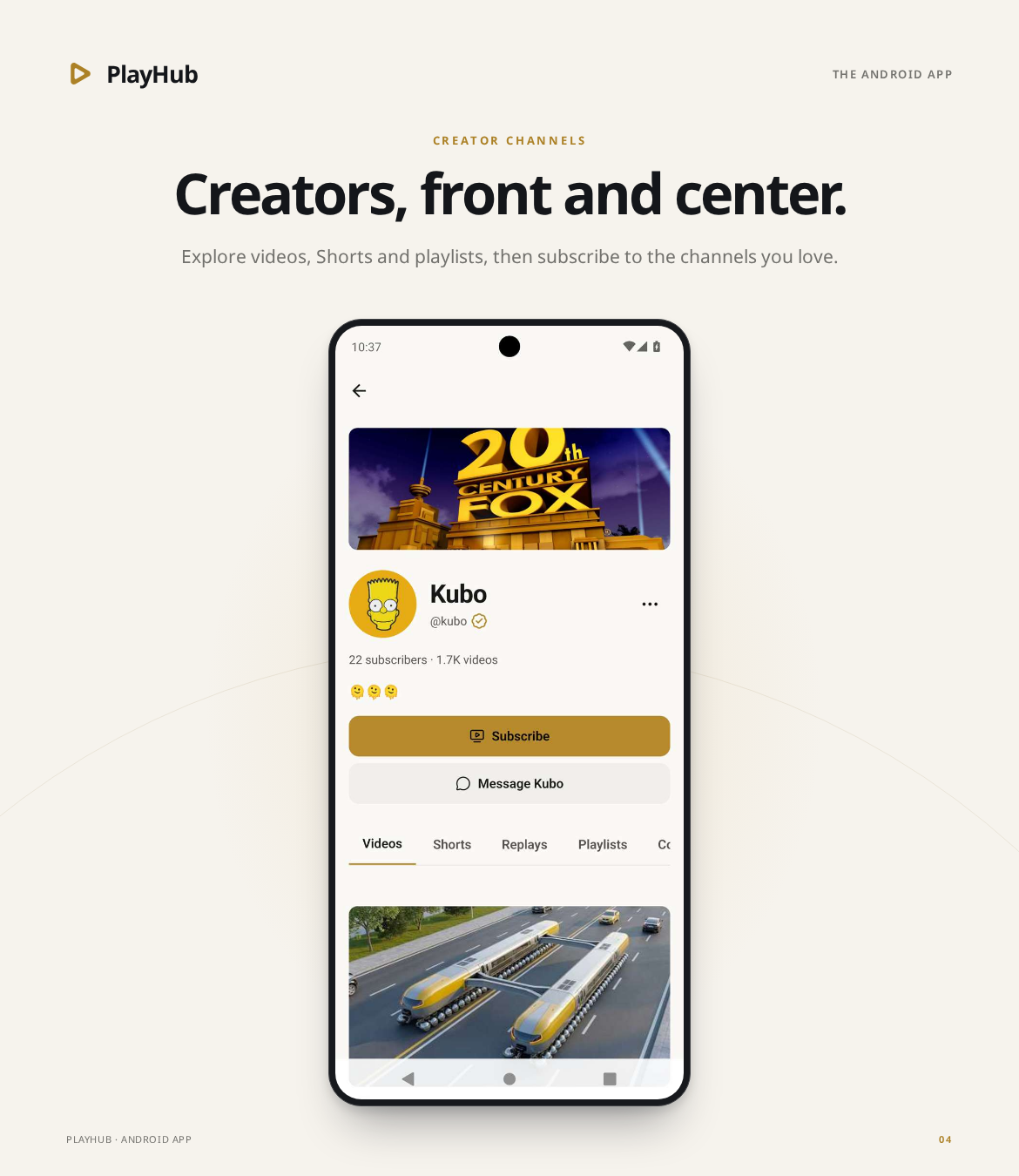
Accounts, Notifications & Branding
- Email or username sign-in, password recovery and configured social-login options.
- Versioned API integration with account-scoped sessions.
- In-app notifications and configurable native Firebase Cloud Messaging push notifications.
- Dynamic branding, feature flags and social-login availability from your PlayHub installation.
- Light and dark themes with responsive phone and tablet layouts.
Native push requires your Firebase project, platform configuration and the relevant backend services and workers.
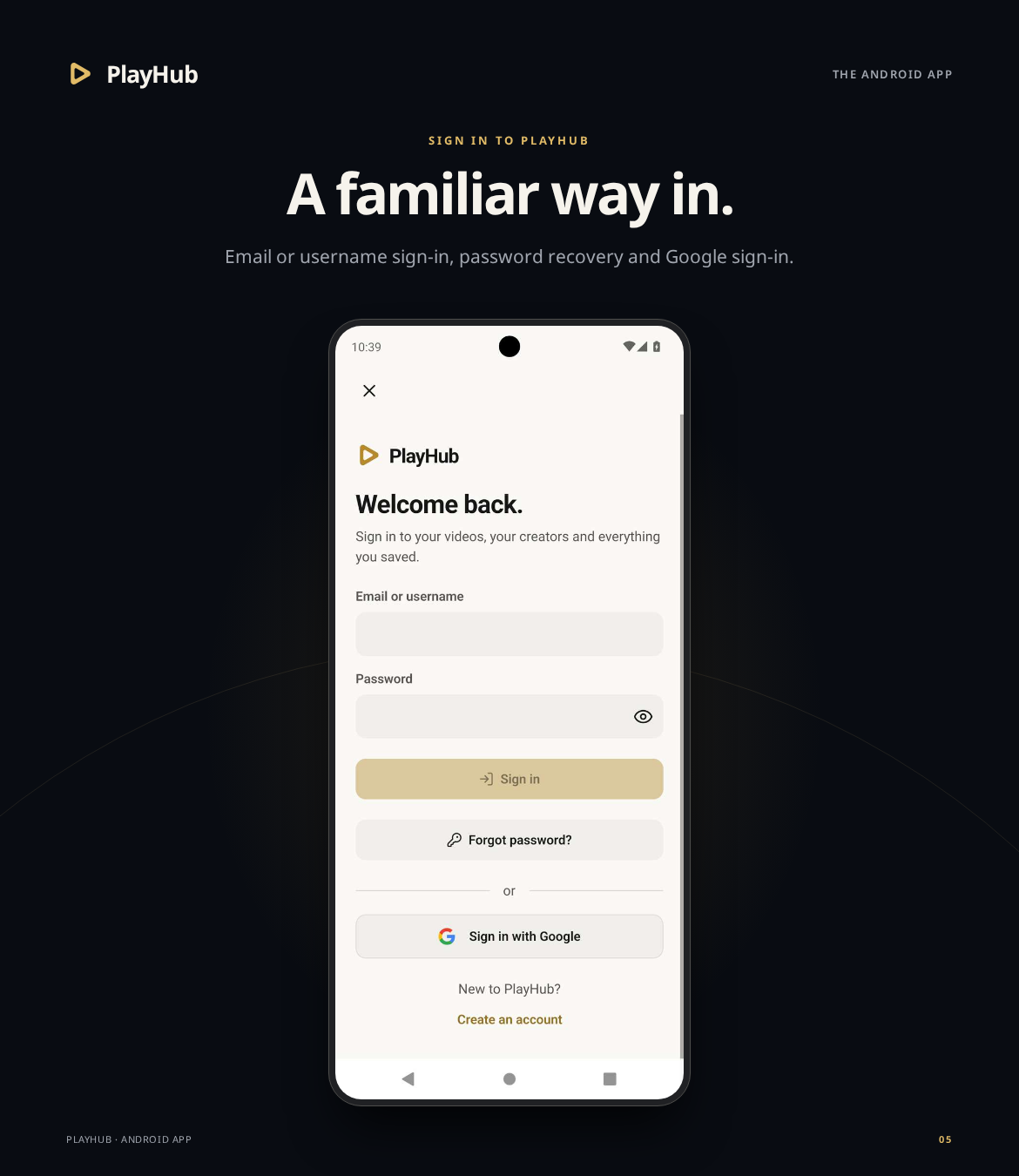
Presentation images show the actual Android demo. Available content and features follow your PlayHub installation and configuration.
Google IMA SDK & Advertising Terms
The app integrates Google Interactive Media Ads (IMA) SDK for supported native video advertising. External media providers control advertising within their own players.
This application integrates Google IMA SDK. Buyers must comply with Google’s IMA SDK Terms of Service, Google APIs terms, and the applicable advertising-service terms and policies, including Google Ad Manager requirements.
Configure advertising with your own service accounts and settings. See the installation documentation and advertising notice before deployment.
Build & Deployment Tools
- React Native and Expo development-build architecture with native integrations.
- Android APK and AAB build profiles.
- Secure production networking configuration for your HTTPS API.
- Firebase Cloud Messaging integration and environment-specific configuration.
- Customer installation and deployment guides for Windows and Linux.
Configure your application identity, endpoints, credentials and signing for your deployment, then validate the signed build on your target devices before distribution.
Requirements
- A licensed PlayHub website installation with a compatible, reachable HTTPS API.
- A compatible Android build environment or configured cloud build workflow, following the supplied package instructions.
- Your own Firebase, LiveKit, storage, social-login, media-provider and advertising-service credentials or configuration for the integrations you enable.
What’s Included
- Complete React Native Android application source.
- Configuration and build tools.
- Automated tests.
- Customer installation and production deployment guides.
Try PlayHub Mobile
Open the interactive Android demo or download the Android demo APK to explore the app on your own device.
Bring your PlayHub experience to Android with a branded, connected mobile application.
Release history
Updates and changelog
Customer feedback
Customer reviews
Customer discussion
Comments & Discussion
Have a question or feedback? Start a discussion with the community.
Ready to use Mobile?
Deploy PlayHub Mobile – React Native Video & Live Streaming App on your terms.
Purchase through the official store for license delivery, product releases, and account access.
No comments yet. Start the discussion.